
Redact & Snap
Hide anything sensitive on a page, then copy a clean screenshot straight to your clipboard. Everything happens on your device.
Add to Google Chrome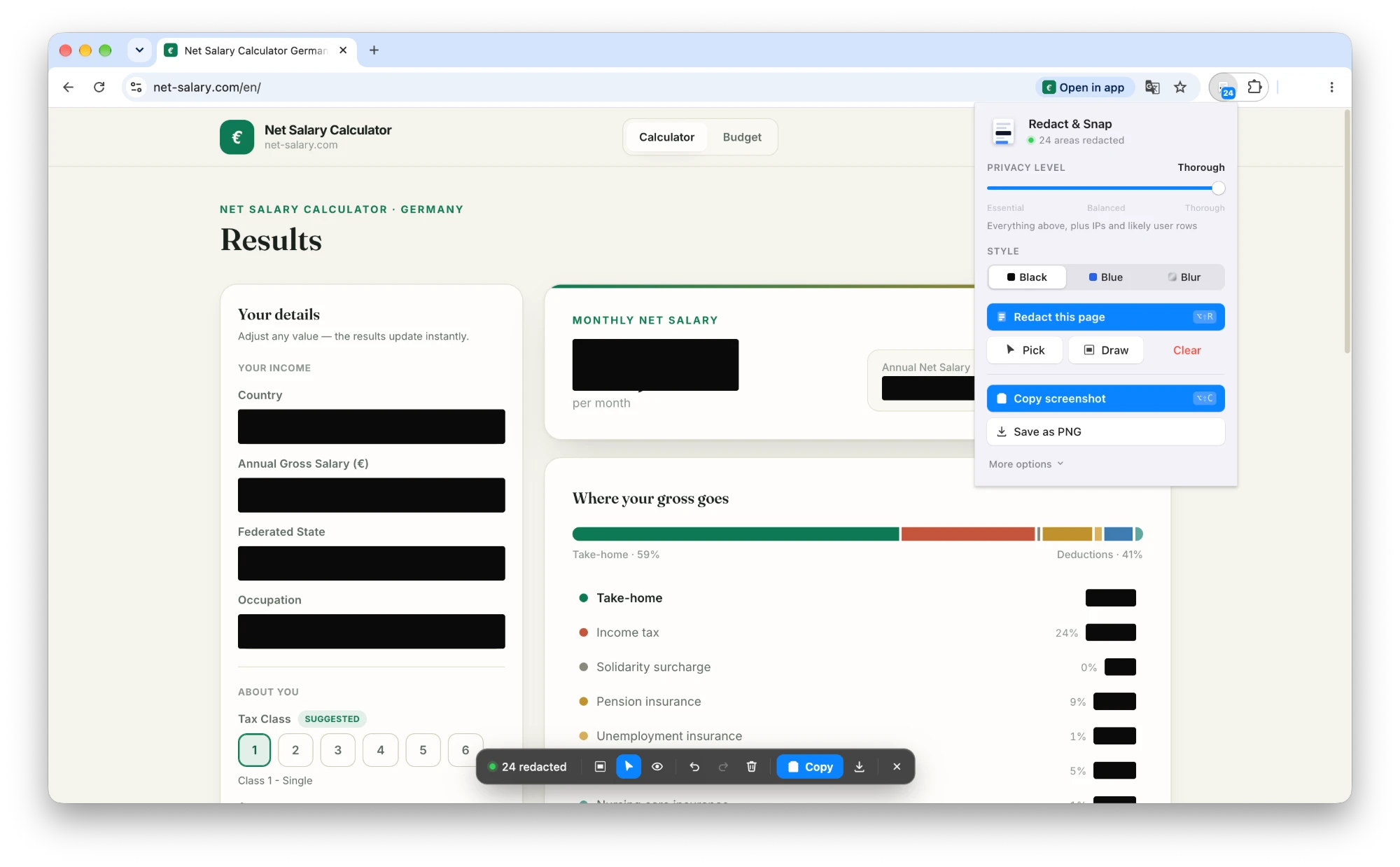 Explore Features
Hide anything sensitive on a page, then copy a clean screenshot straight to your clipboard. Everything happens on your device.
Add to Google Chrome
Explore Features
One click covers form fields, profile pictures, emails, phone numbers, card numbers, IBANs and API keys. Card numbers and IBANs are checked rather than guessed, so prices, dates and version numbers stay readable.
Hold Peek to see straight through every redaction and confirm you covered the right things. It is the one step worth not skipping.
Drag a box over whatever the detector missed, or click elements one at a time. The arrow keys widen the selection from a single value to the whole row.
Press Copy and paste into Slack, a ticket or a reply. No detour through your downloads folder, and the toolbar is never in the shot.
No network permissions at all, and access only to the tab you open it on — not every site you visit. Nothing is ever uploaded.
Keyboard shortcuts for redacting and capturing, undo and redo that work the way you expect, and a toolbar you can dismiss with Esc.
Open the extension and press Redact this page. A toolbar appears on the page itself, showing how many areas were covered and what kind of data each one was. Fix anything it got wrong by drawing a box or clicking an element, hold Peek to check the result, then press Copy. The toolbar is never part of the screenshot.
Redact & Snap does not collect, store, or transmit personal data. All processing occurs locally within your browser.
The extension asks for access only to the tab you invoke it on, rather than to every site you visit, and it has no network permissions at all.
View the full Privacy Policy.