A free Chrome extension
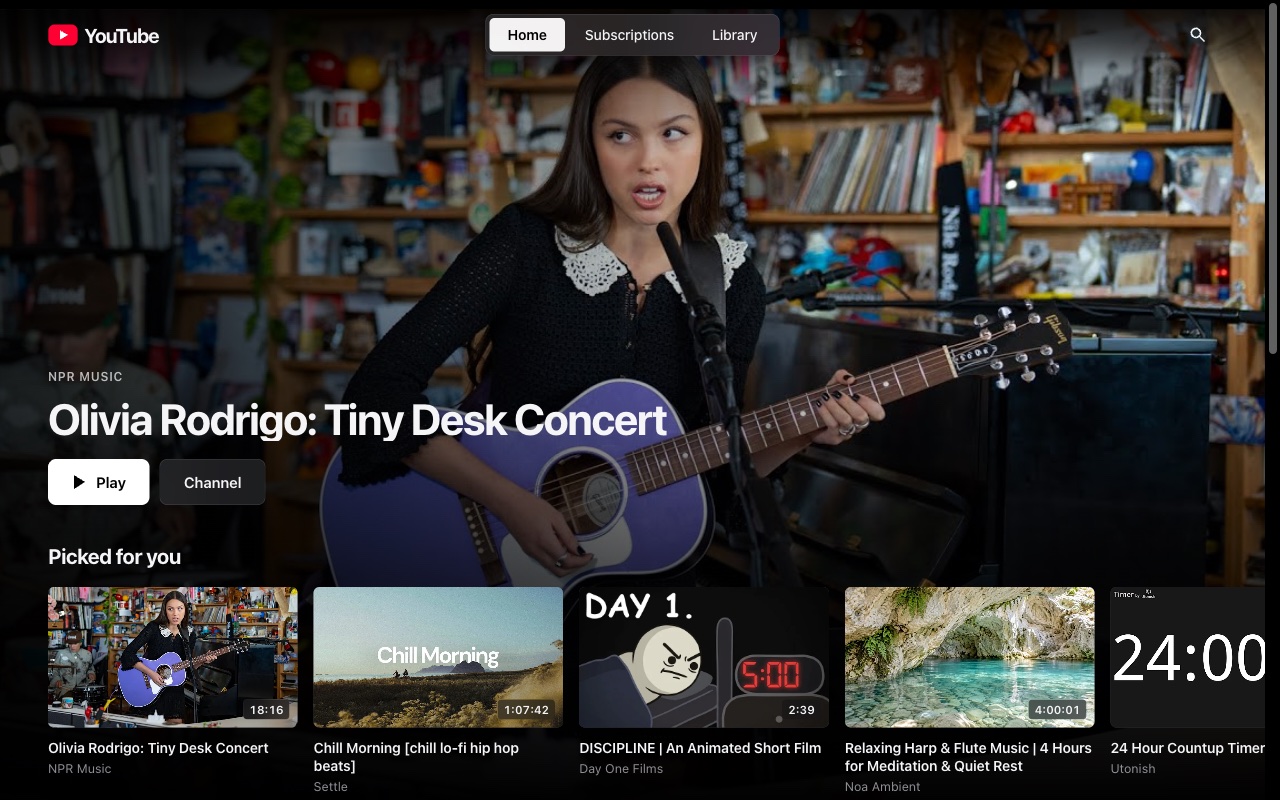
Shelves instead of an endless feed. No Shorts. A player that fills the window and then gets out of the way.
Free. No account, no tracking, nothing leaves your browser.
Same account, same subscriptions, same recommendations. Just laid out so you choose what to watch instead of being pulled along.
Continue watching, picks for you, new from your subscriptions and Watch later, each in its own row.
Hidden everywhere with one switch. A Shorts link opens in the normal player instead.
Type a topic — documentaries, live sessions, anything — and it becomes a row on your home screen.
One icon in the corner. Click it or press /, type, and results arrive as a clean grid with nothing else around them.
Channels, playlists and comments are one click away, exactly where they were.
The video fills the window without going full screen. Controls appear when you move, and fade when you stop.
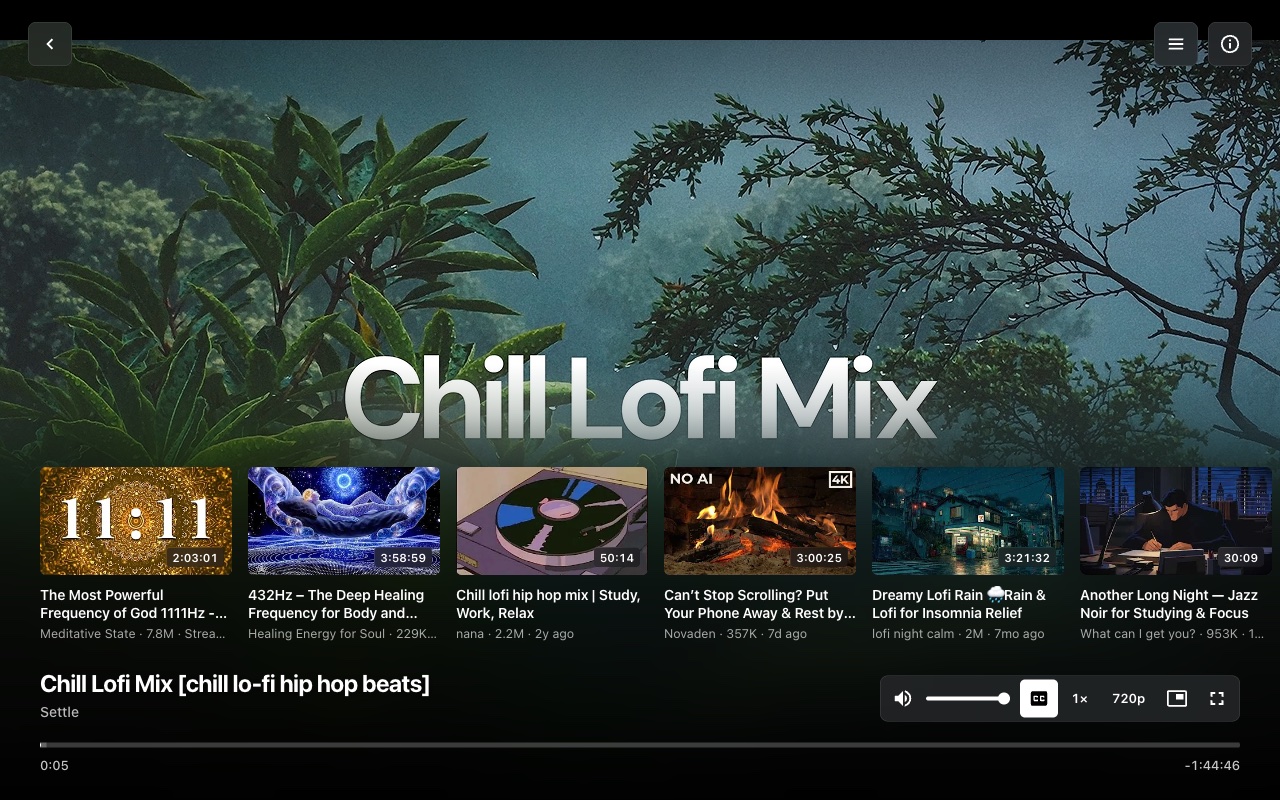
Play, skip ten seconds either way, and a scrubber that grows under your pointer and shows the time you're aiming for.
Related videos stay tucked away until the video ends or you open them yourself.
It isn't on the Chrome Web Store yet, so you load it yourself.
chrome://extensions and switch on Developer mode.