{ }
Plain text, always
Requests are .stamp files: readable in any editor, reviewable in a pull request, and never locked inside an app.

Posteçî is an API client for the Mac and the terminal. Requests live in plain text files, variables follow as many dimensions as your system has, and the same folder runs in the app, in a shell and in CI.
For macOS 14 or later. $0.99 on the Mac App Store. No account, no telemetry.
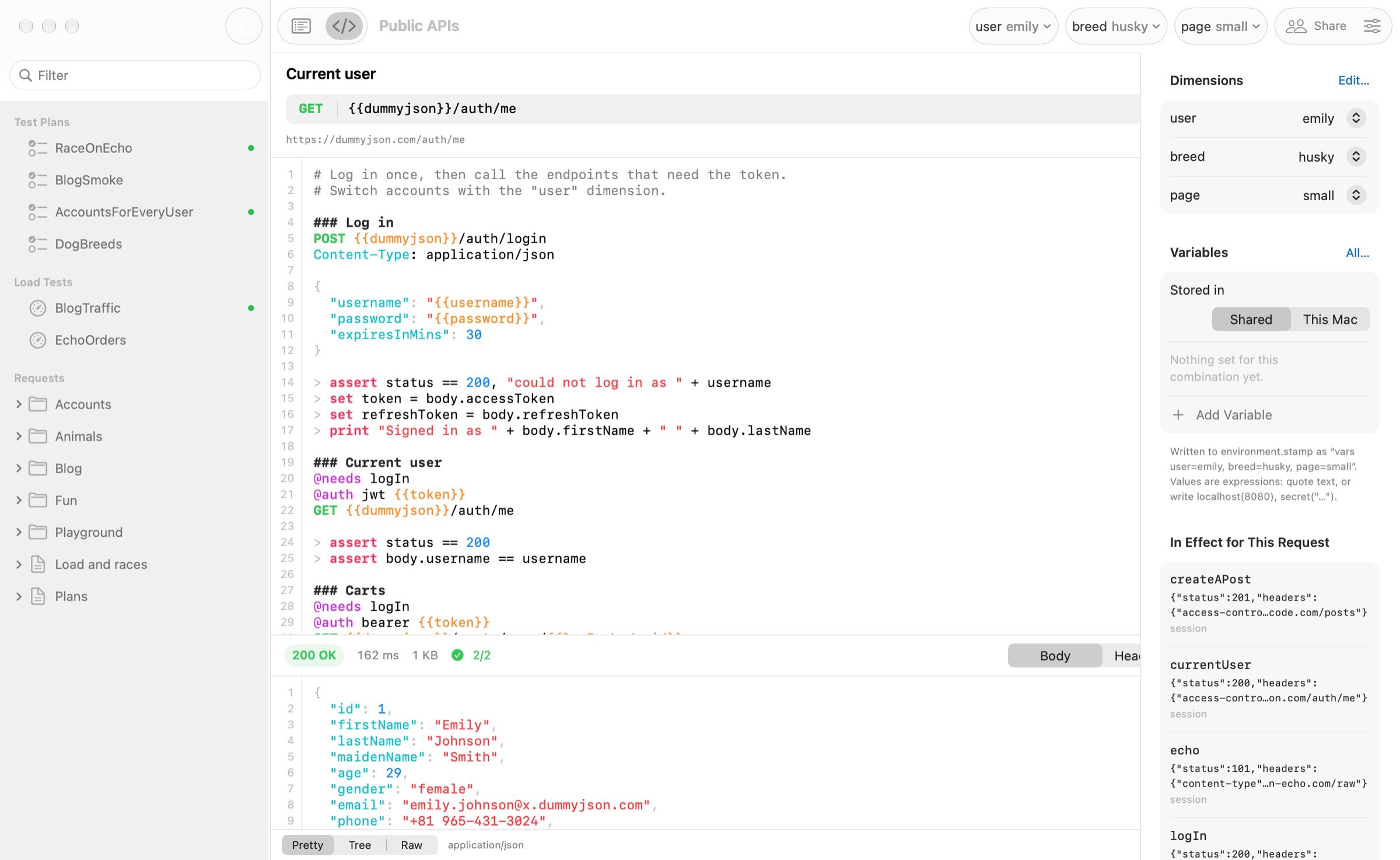
A request file is short enough to read at a glance. Open it in Posteçî to send it with a click, or run it from a shell with the same dimensions selected.
api/orders.stamp
@base = {{host}}/api

### Log in
POST {{base}}/login
Content-Type: application/json

{ "username": "{{username}}", "password": "{{password}}" }

> assert status == 200
> set token = body.token

### Orders
@needs logIn
@auth bearer {{token}}
GET {{base}}/orders?limit=20

> assert all(body.items, o => o.total > 0)
> print length(body.items) + " orders"
Terminal
$ posteci run api/orders.stamp environment=qa region=eu
→ POST https://api.qa.eu.example.com/api/login  orders.stamp › logIn
  200 OK  142 ms  612 bytes
  ✓ status == 200

→ GET https://api.qa.eu.example.com/api/orders?limit=20  orders.stamp › orders
  200 OK  88 ms  4 KB
  ✓ all(body.items, o => o.total > 0)
  │ 20 orders

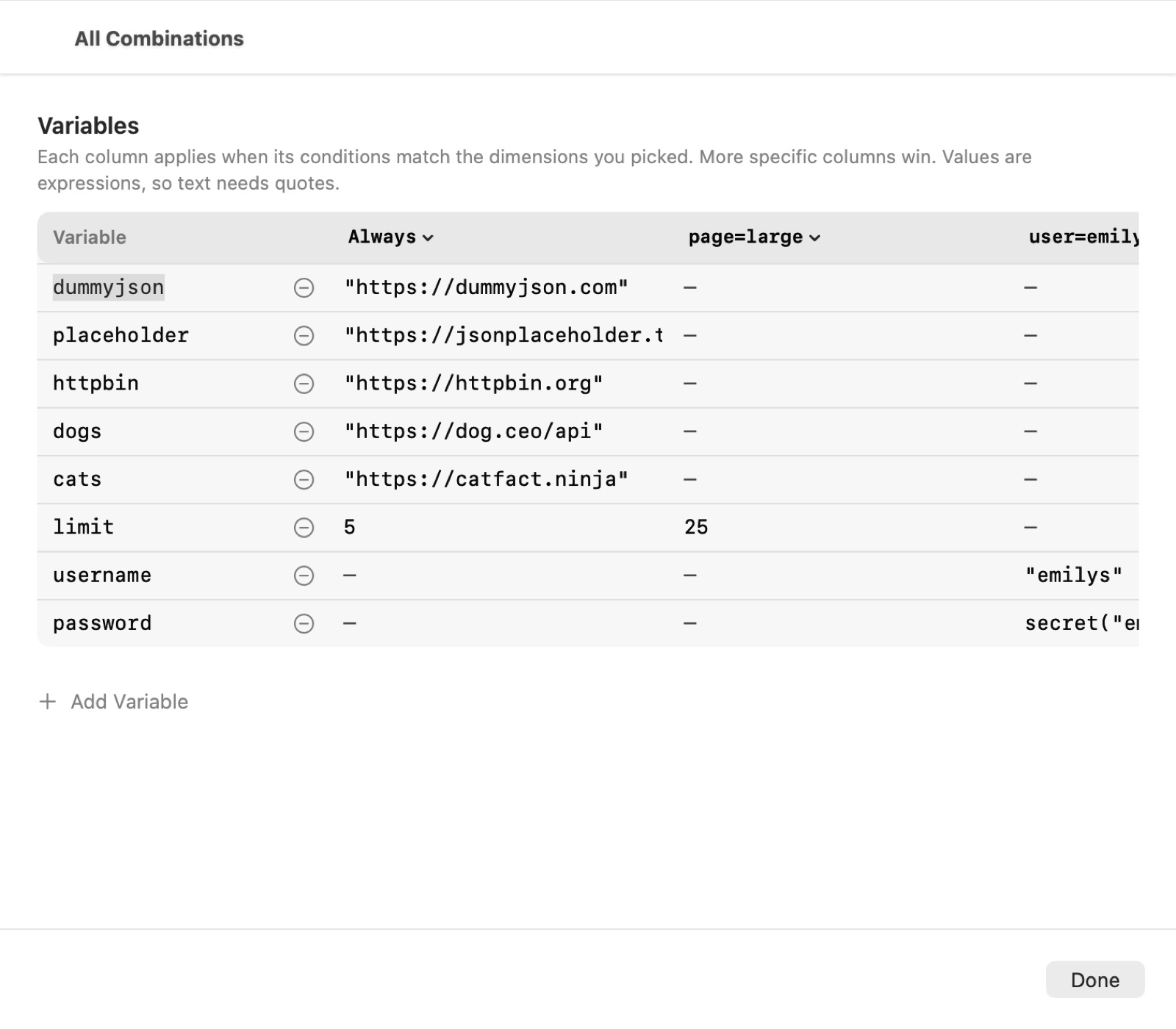
✓ 2 requests, 2 assertionsMost tools give you a list of environments, so qa-eu, qa-latam and prod-eu each become a copy to keep in step. Posteçî lets you name the axes instead. Variable sets say where they apply, the most specific one wins, and * means any value.
environment.stamp
dimension environment = local, qa, prod
dimension region = eu, latam, mena

vars {
  host = localhost(8080)
}

vars environment=qa|prod, region=eu {
  host = "api." + environment + ".eu.example.com"
}

vars environment=prod {
  password = secret(getenv("PROD_PASSWORD"))
}
Requests are .stamp files: readable in any editor, reviewable in a pull request, and never locked inside an app.
SwiftUI and AppKit, fast to launch and quiet in use. Form or source editing on the same file, with the file watched for changes.
posteci run, test and load read exactly what the app reads, with exit codes and JUnit, HTML or JSON reports for CI.
Describe environment, region, tenant or user as separate axes. Pick a value per axis, or * for any, and the right variables follow.
Check responses, pass values between requests with set, keep personal ones with save, and write your own functions and lambdas.
Steps, loops, conditions, retries and timeouts, run over a matrix of dimensions and CSV or JSON data, in parallel.
Virtual users with ramp-up, think time and pass or fail thresholds on percentiles, error rate and throughput, drawn live.
concurrently starts actors together and sync lines them up on the same instant, to catch double spends and lost updates.
Realistic names, addresses and companies, related records that belong together, and bodies generated from JSON Schema. Same seed, same data.
Script a socket conversation, send GraphQL operations, and check STUN and TURN servers before a call depends on them.
Bearer, JWT, Basic, API keys in headers or queries, and OAuth 2 tokens fetched and reused until they expire. Tokens and passwords in responses stay blurred until you click them.
An OpenAPI 3 or Swagger 2 document becomes request files, one per tag, with parameters, auth and example bodies filled in.
A workspace is a folder of text files that sits in the repository next to your code. Personal values go to a file Posteçî keeps out of git.
Unknown variables, broken expressions and missing dependencies are flagged as you type, and posteci check finds them before CI sends anything.
Double-click a .stamp file to open its workspace with that file selected. Existing .http files are read too.
JSON as text or a tree, images, PDFs, HTML, XML and hex. Save a body, or the whole exchange as a readable transcript.
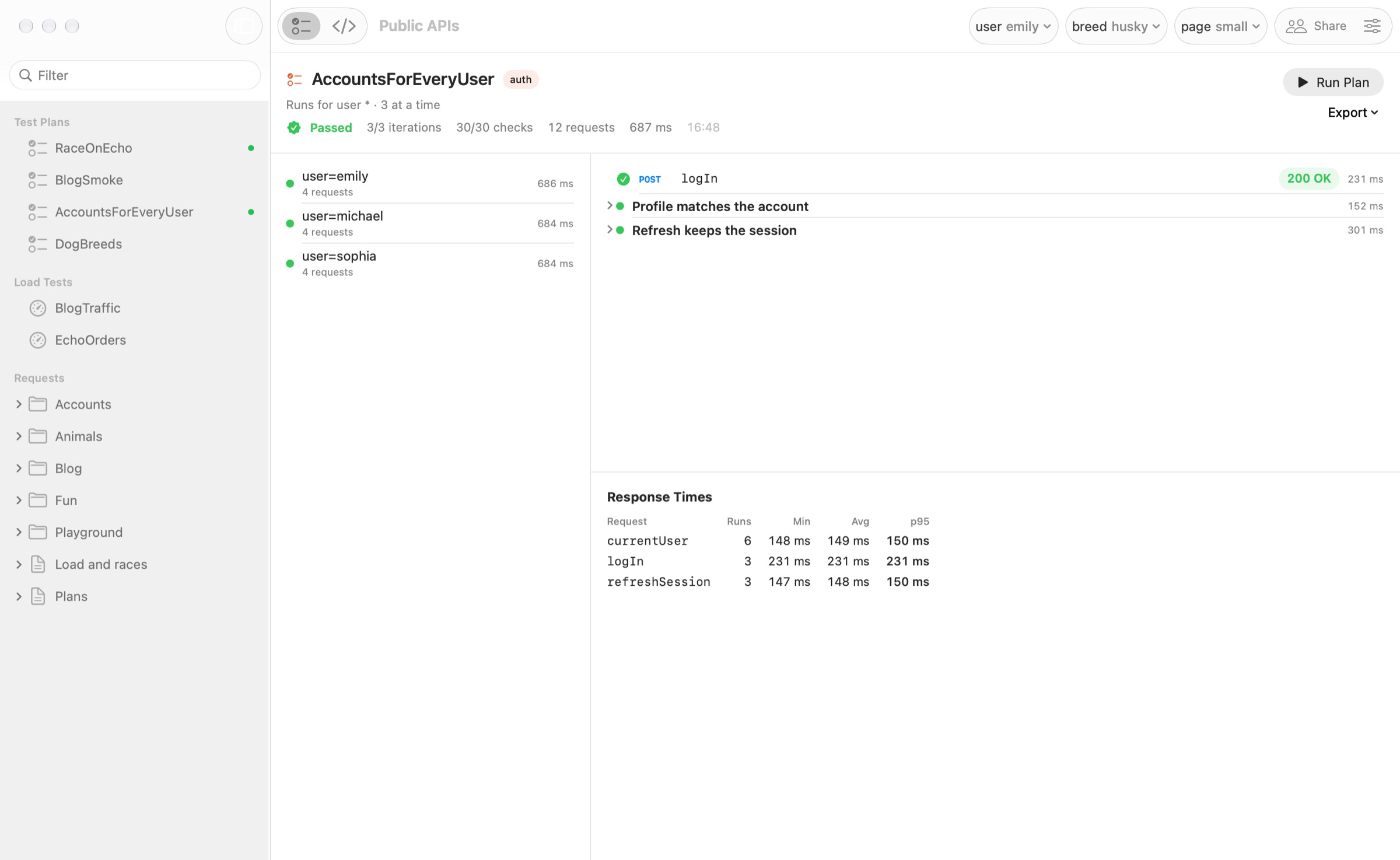
Plans sit next to the requests they run. A matrix repeats a plan for every combination of dimensions, data files add rows, and every iteration gets its own session so tokens never leak between them.
concurrently starts actors at the same moment and sync holds them until all have arrived, so a coupon redeemed ten times at once shows whether only one of them wins. Reports come out as JUnit for CI or HTML for people.
plan Checkout {
  matrix environment = qa|prod, user = *
  parallel 4
  retry 2 every 500ms

  setup { run logIn }

  step "Browse" {
    run listProducts with limit = 5
    expect status == 200
    expect time < 800
    set productId = body[0].id
  }

  concurrently 10 {
    sync "go"
    run redeemCoupon with code = "WELCOME"
  }
  expect count(results, r => r.status == 200) == 1
}
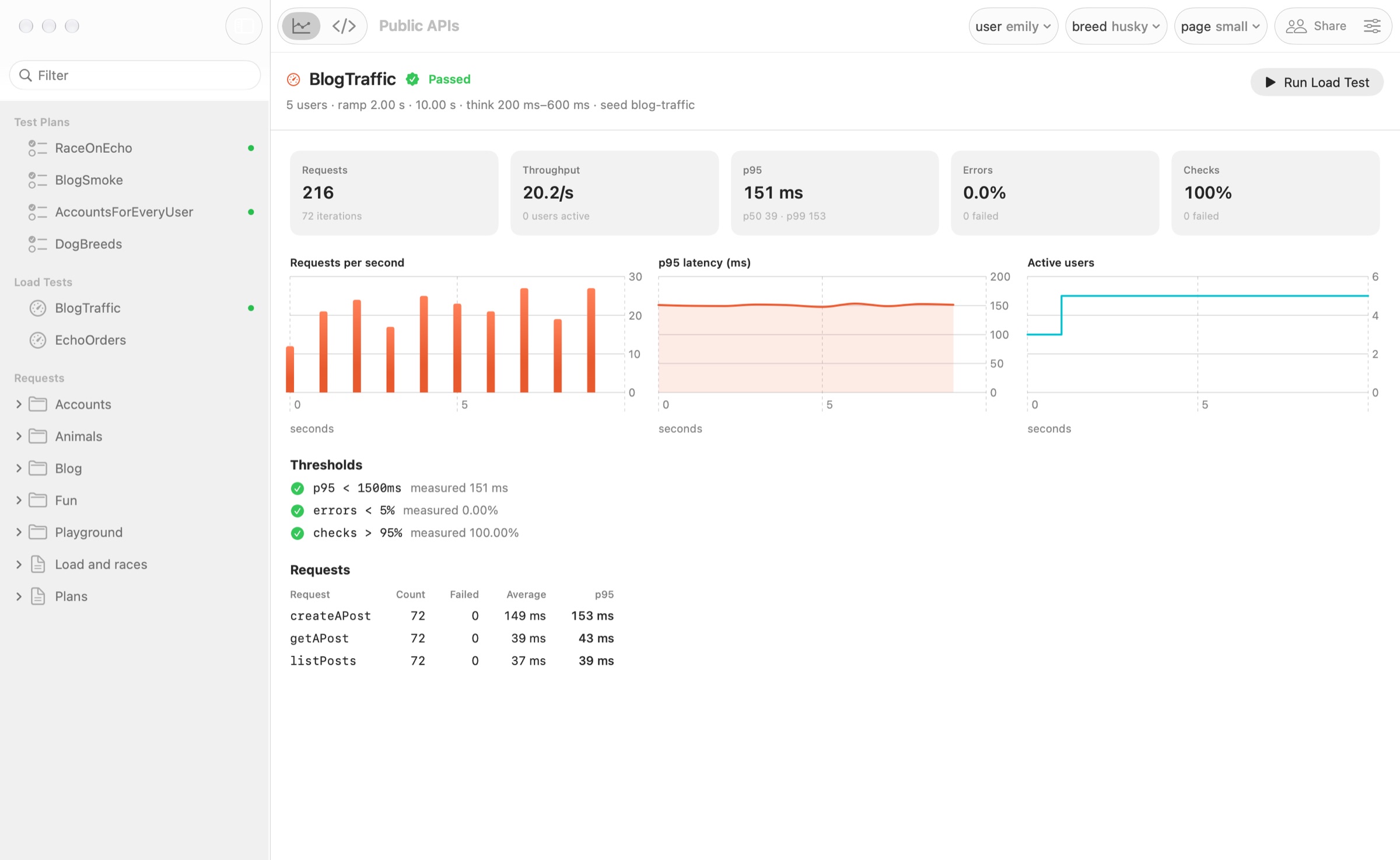
Virtual users start over a ramp and the run is judged against thresholds on percentiles, errors and throughput, charted while it happens.
With a seed, every scenario run gets its own repeatable random data, and keyed values like uuid("order") tie the create and the lookup of one run together. share hands ids from one virtual user to the others.
load Checkout {
  users 50
  ramp 30s
  duration 5m
  seed checkout-load
  threshold p95 < 800ms
  threshold errors < 1%

  scenario {
    run createOrder with orderId = uuid("order")
    run getOrder with orderId = uuid("order")
    share lastOrder = body.id
  }
}
fake gives names, emails, addresses, companies, prices and dates. person(7) is the same person everywhere you use it, with an email made from their name. mock(schema) builds a body from JSON Schema, honouring formats, enums and bounds.
Set a seed and every run sends exactly the same data, so a failure today can be replayed tomorrow.
@seed = checkout-tests

### Sign up
POST {{base}}/users

{
  "id": "{{uuid("user")}}",
  "name": "{{person(7).name}}",
  "email": "{{person(7).email}}",
  "company": "{{fake.company}}",
  "profile": {{ json(mock(readJson("./schemas/profile.json"), "user-7")) }}
}Script a WebSocket conversation with send and receive and read it back as a timeline. Send GraphQL operations with their variables.
Check that STUN and TURN servers answer, and that they accept your credentials, before a video call depends on them.
### Chat
WS wss://chat.example.com/socket

> send json({ type: "hello" })
> receive 5s
> assert data.type == "welcome"

### Countries
GRAPHQL https://countries.trevorblades.com/graphql

query { country(code: "IQ") { name capital } }

### Can calls connect?
STUN stun:stun.l.google.com:19302

> assert body.rtt < 200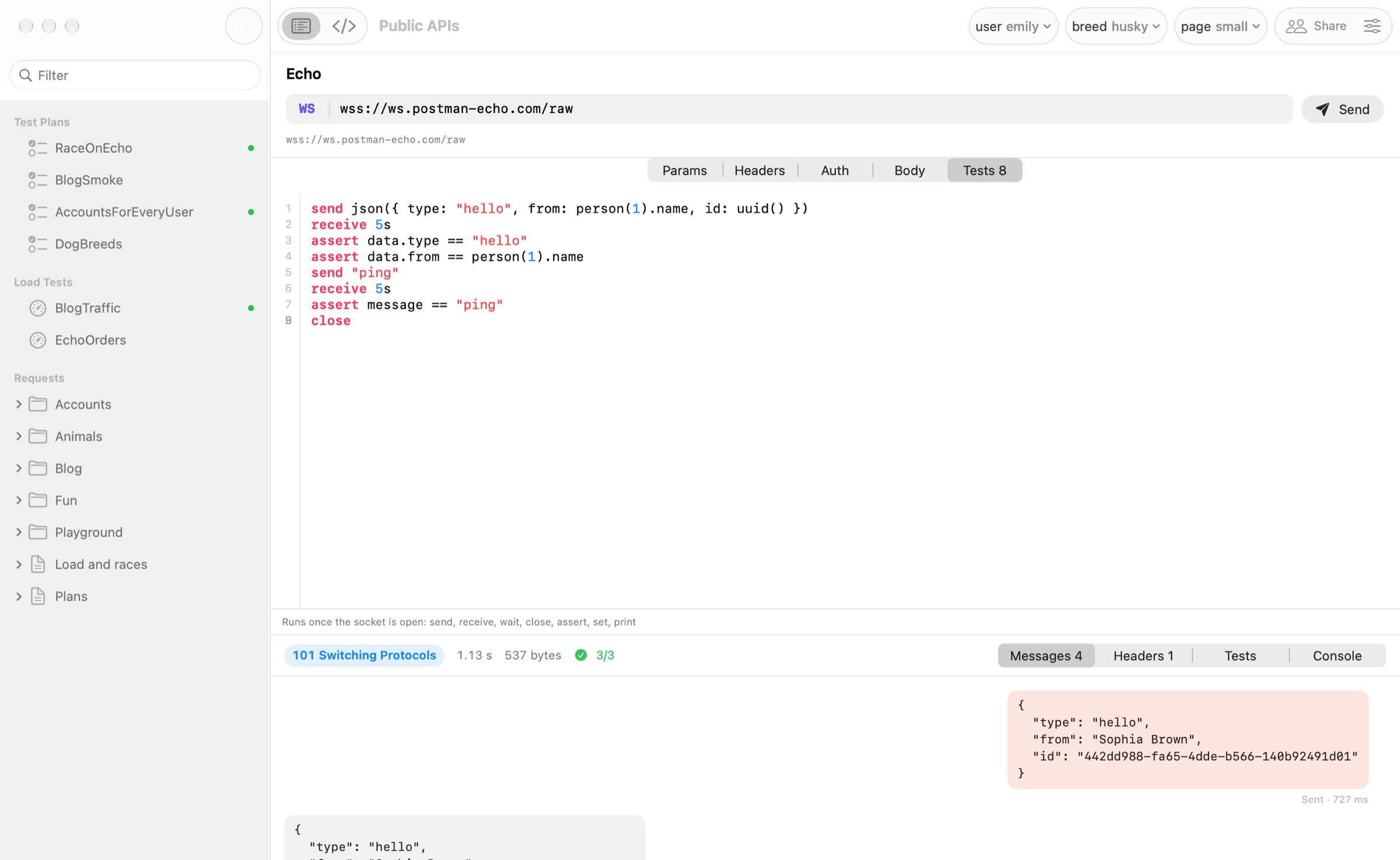
posteci, a free companion to the app, runs requests, test plans and load tests from the same workspace. It exits with 1 when a check fails and 2 when a file has errors, prints secrets masked, and writes reports your CI already understands. The download is coming soon.
In a pipeline
posteci check .
posteci test . --tags smoke \
  --junit reports/junit.xml --html reports/plans.html
posteci load . --json reports/load.json
posteci run | send requests from a file or a folder |
posteci test | run test plans, with JUnit and HTML reports |
posteci load | run load tests and check their thresholds |
posteci check | find problems without sending anything |
posteci env | show dimensions and what variables resolve to |
posteci import | turn an OpenAPI document into request files |
Posteçî is $0.99 on the Mac App Store, for macOS 14 or later. It opens with an example workspace that talks to public test APIs, so there is something to send right away.
Coming from Posteçî 1.x on the web or Electron? File › Import Posteçî 1.x Data… brings your requests and variables across.