⊞
Mac-native dashboard
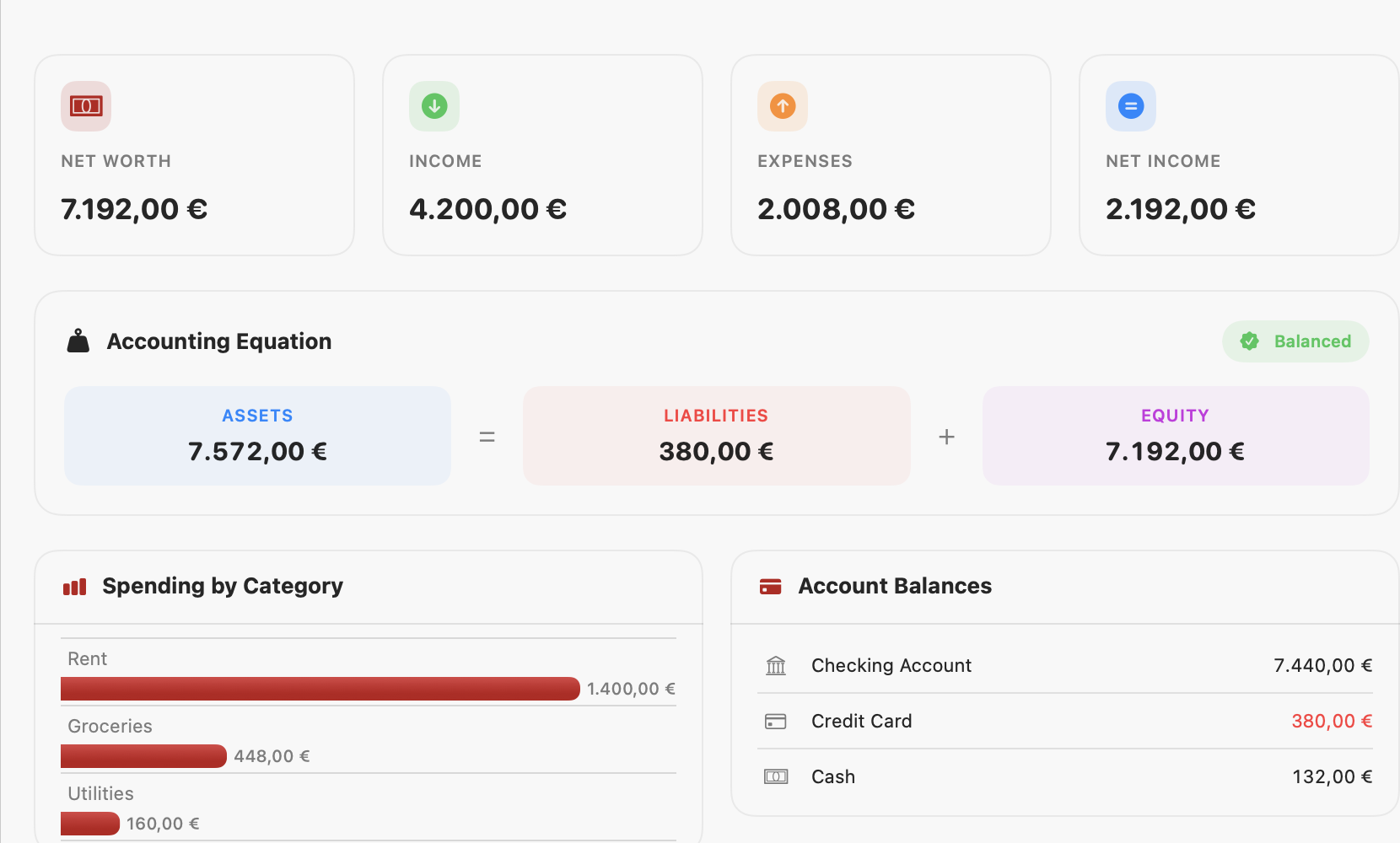
Net worth, income, expenses and net income at a glance, with spending by category and live account balances.
Kost is a native Mac and iPhone app for personal double-entry bookkeeping. Real dashboards, budgets and subscriptions, one-click bank imports — and a trial balance that always proves out. Your data stays on your device.
For macOS 14 and iOS 17 or later. No account, no tracking.
Proper bookkeeping
Every transaction moves value from one account to another, so your books always balance. Kost shows the accounting equation live on the dashboard — and you can tap any term to break it down to its parts.
Equity expands to Capital + Retained Earnings, then to Capital + Revenue − Expenses − Drawings.
Net worth, income, expenses and net income at a glance, with spending by category and live account balances.
Assets = Liabilities + Equity, shown live and balanced. Tap a term to drill into the expanded equation.
One clean place to add, review and search every transaction, with the account it moved from and to.
Tag a transaction with fine-grained details — a bank, a person, a business, a project or a cost centre — each with its own fields, like a bank's IBAN.
Drop in a bank statement and Kost detects the delimiter, dates and amounts — European or US — and files each row.
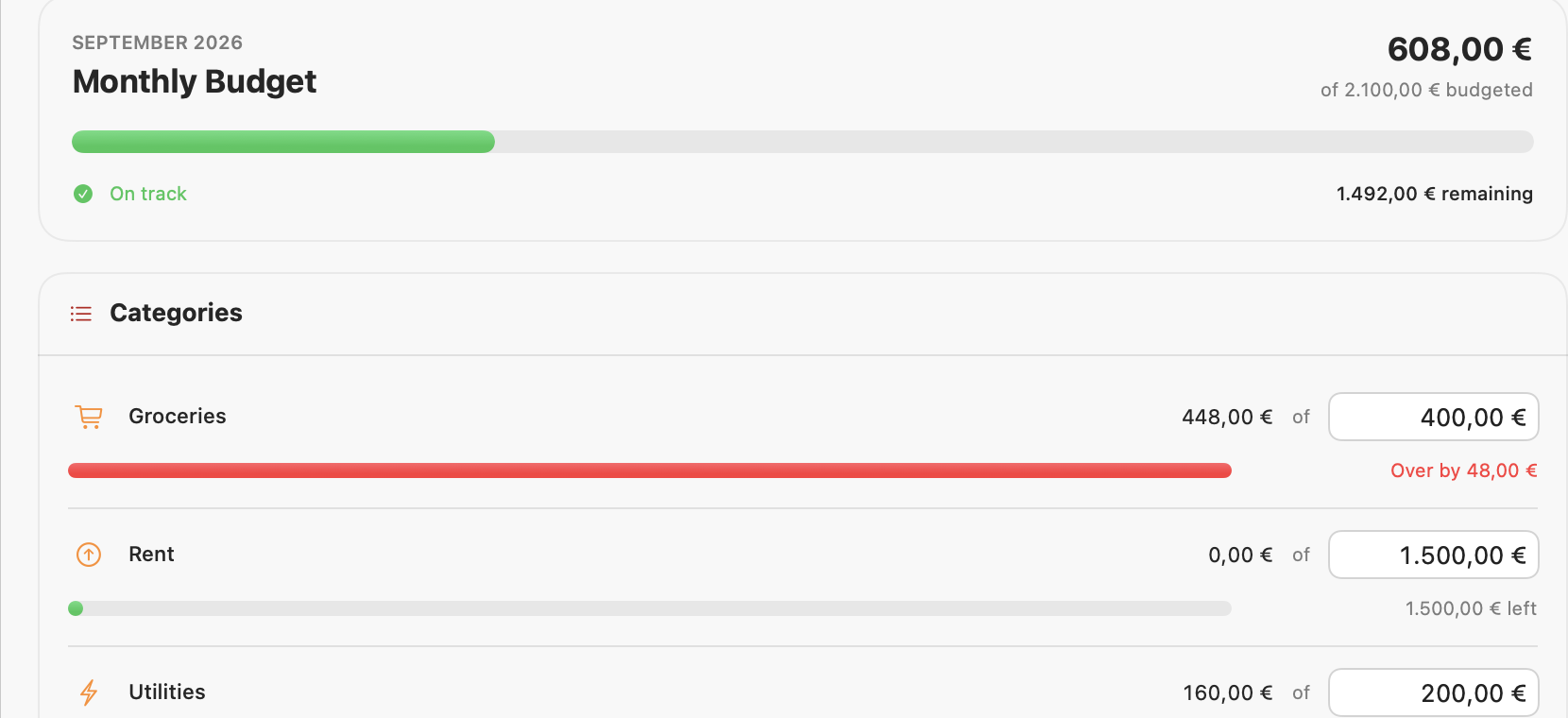
Set a monthly limit per category and watch spend against it, with a clear over / on-track signal.
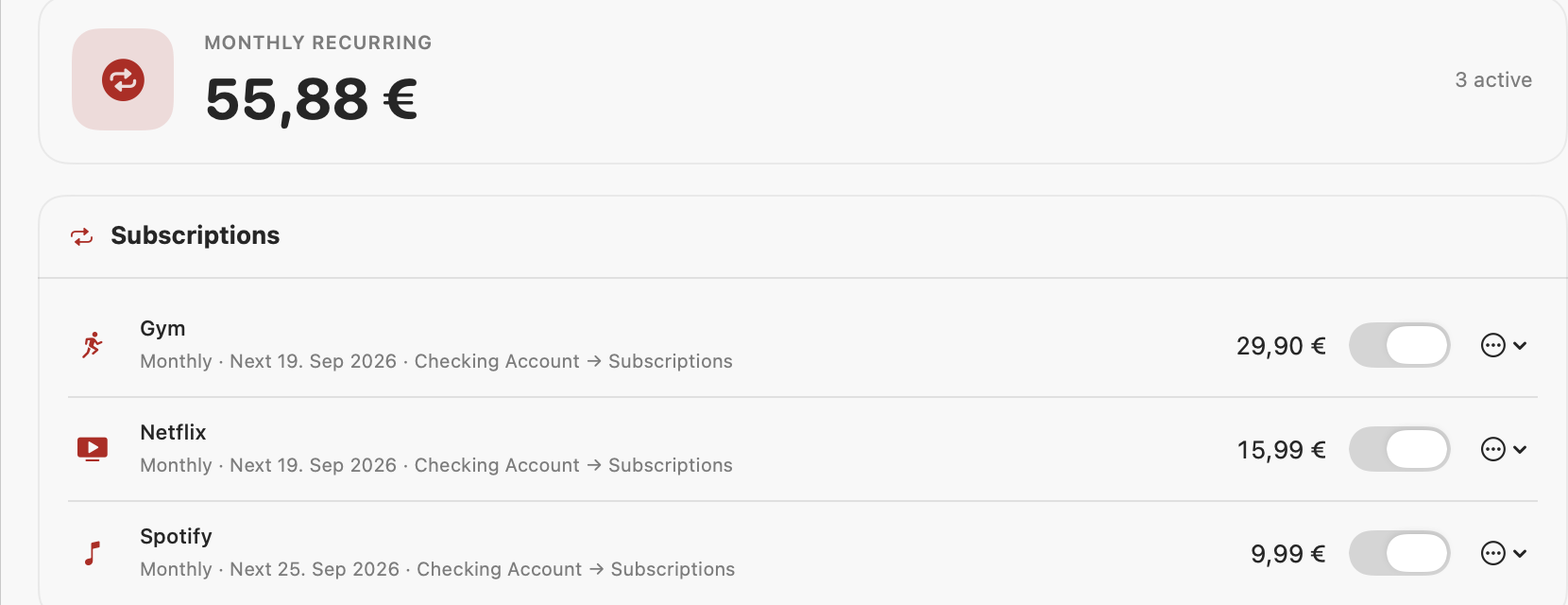
Track recurring payments, see your true monthly total, and let Kost post each charge automatically.
A dozen ready-made templates plus your own, so the payments you make often are one tap away.
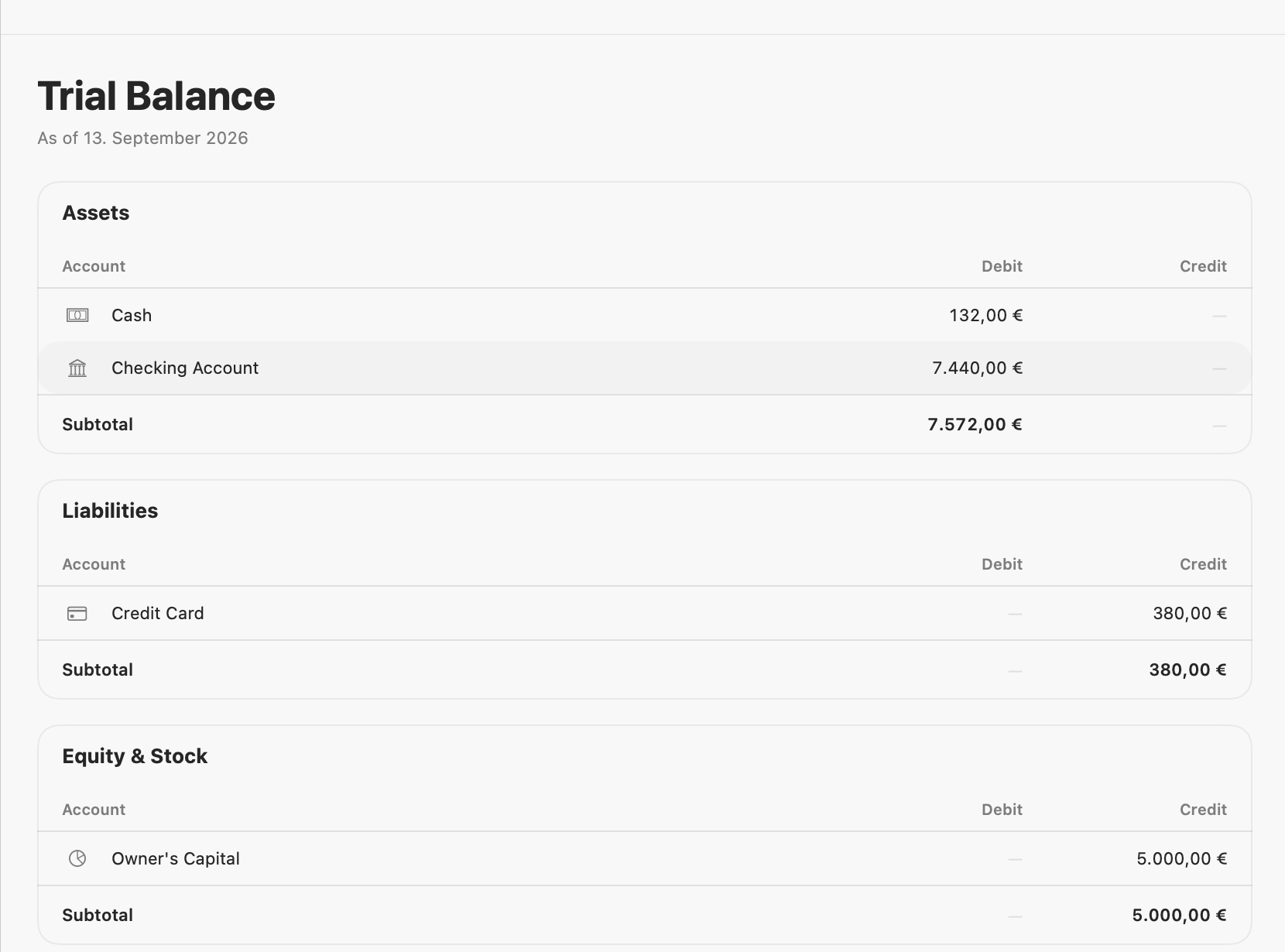
A grouped debit/credit report that proves your books balance — the accountant's check, built in.
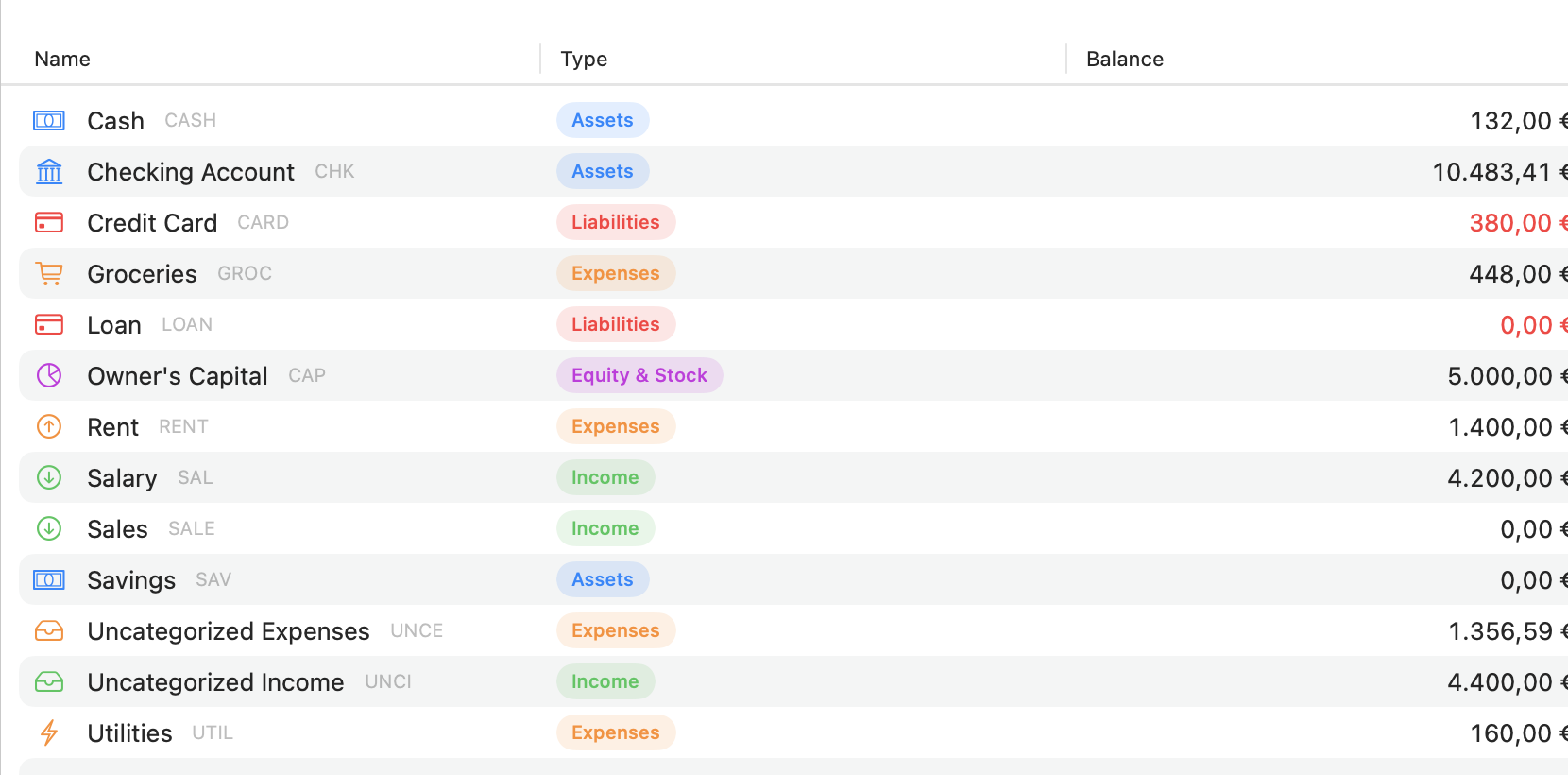
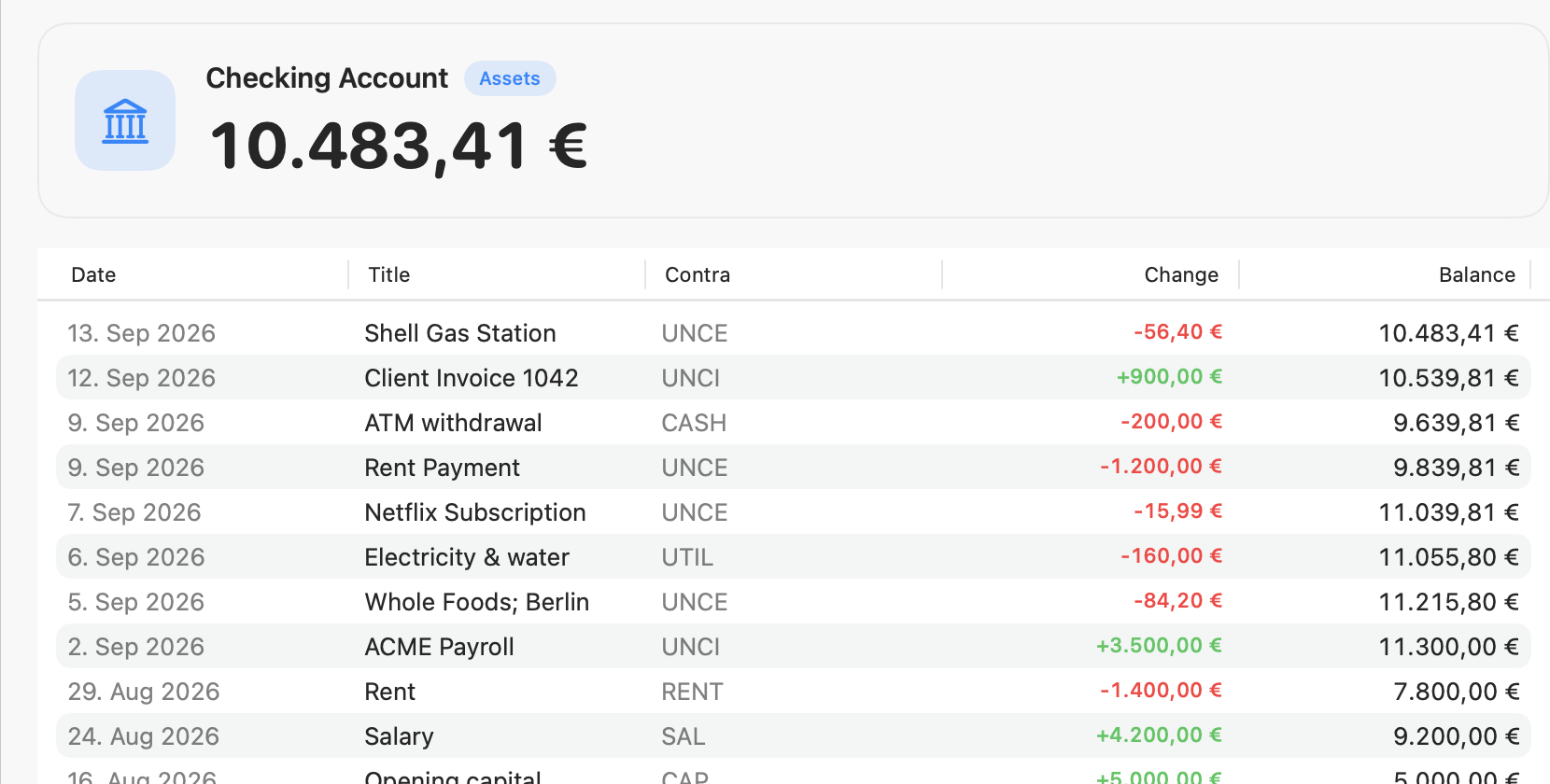
Every account has a running-balance ledger with each change coloured and the contra account shown.
Hide every amount with one tap, or keep specific accounts blurred by default — for cafés and shoulders.
Your ledger lives locally. No account to create, nothing sent to a server, no tracking.
One app, built with SwiftUI, at home on the Mac and in your pocket.
Get your data in
Export a CSV from your bank and open it in Kost. It works out the delimiter, the date format and whether amounts are European or US style, guesses the columns, and shows you a preview before anything is saved.
Money out debits the account, money in credits it, and anything you don't categorise lands in an Uncategorised bucket you can sort later — so imported rows keep the books balanced.
Stay on plan
Give each category a monthly budget and Kost tracks the spend against it, turning the bar amber as you approach the limit and red when you pass it.
Add your recurring payments once — Netflix, rent, the gym — pick how often they repeat, and Kost posts each one on time and totals your real monthly commitment.
Kost is coming to the Mac App Store and the App Store, for macOS 14 and iOS 17 or later. No account, no subscription to use it, and your data never leaves your device.